Join the Waitlist
Template pack and app · waitlist open

CMMC Toolset: Documentation Templates and Evidence Workflows

One product in more than one version, each for a different situation: an editable documentation template pack for teams that want to work in their own files, and the CMMC Toolset software app, with checklist and evidence workflows, for teams that want those steps tracked in one place. Both aim to keep paperwork tied to real evidence. Personal commercial product, not a government service, not affiliated with the DoD or the CMMC program, and not offered as assessment preparation.

SSP
Section templates
Log
Evidence log
POA&M
Tracker template
Scope
Boundary worksheet
SSP Templates
Evidence Log
POA&M Tracker
Scope Worksheet
Toolset App
Built for documentation discipline
System narratives
Evidence to control mapping
Template workflows
Personal commercial product
The Problem

Why CMMC paperwork stalls.

Most small teams already run security controls. The hard part is writing them down in a form that points to evidence someone can actually find.

🗺️
No written boundary
If the scope isn't written down, every other document drifts. The pack starts with a one-page scope worksheet so the plan, diagram and inventory describe the same systems.
🗂️
Evidence in ten places
Screenshots, exports and policies end up spread across email and shared drives. The evidence log gives each item an ID, an owner, a date and the requirement it supports.
📋
Gaps without owners
Open items sit in a spreadsheet nobody updates. The POA&M tracker template has columns for owner, milestone, target date and status from day one.
Why It Exists

Templates that point to evidence.

CMMC Toolset is built by Barry Morgan, a U.S. Navy Submariner weapons technician with 20+ years of enterprise systems and security experience. After watching small teams start their documentation from blank pages, Barry is building CMMC Toolset in more than one version: an editable template pack for people who want plain files that work in tools they already have, and an app with checklist and evidence workflows for people who want the steps tracked for them.
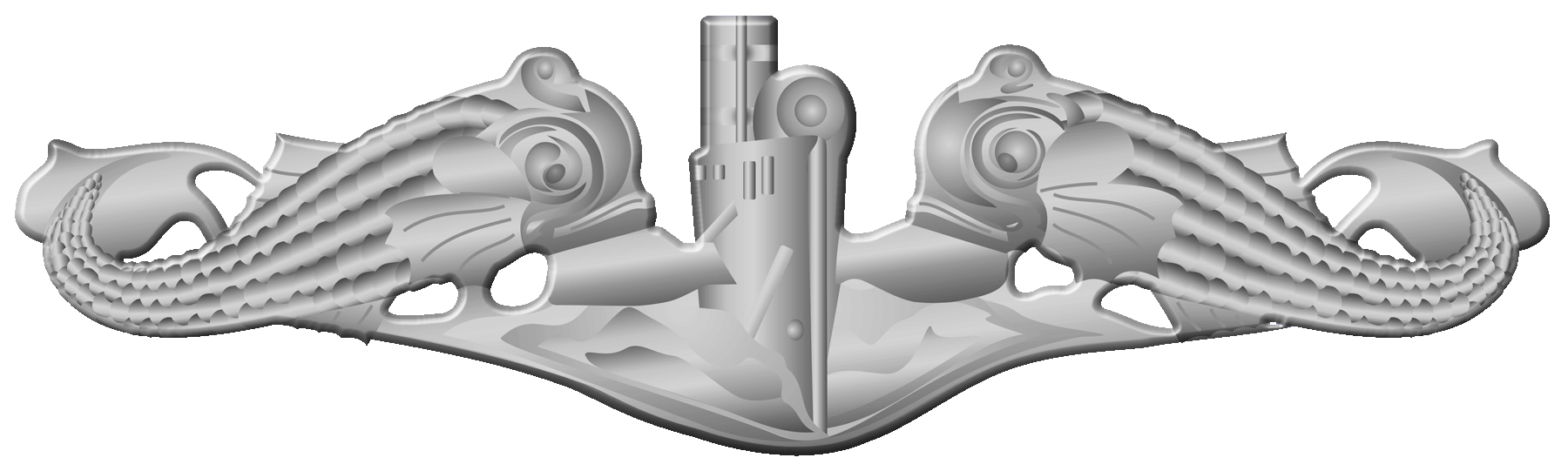
U.S. Navy Enlisted Submarine Warfare Insignia (Silver Dolphins)
Submarine Warfare Qualified: systems walkthroughs and board review

The idea is simple: every statement in a plan should point to something you can show. The templates are laid out so that link is built in, not added at the end.


The Pack

Two versions for different situations.

CMMC Toolset comes in more than one version, and each is for a different situation. The template pack is a set of editable files for teams that want to work in documents and spreadsheets they already use. The CMMC Toolset app is software with checklist and evidence workflows for teams that want those steps tracked in one place. Details may change before launch, and people on the waitlist will see them first. The template pack includes:

Plan
SSP Section Templates

Fill-in structures for the system description, boundary, roles and per-requirement implementation statements, each with a place to cite evidence IDs.

Evidence
Evidence Log

A spreadsheet template to record each artifact, where it lives, who owns it, when it was captured and which requirements it supports.

Gaps
POA&M Tracker

A template for open items and remediation tasks with owners, milestones, target dates and status.

Scope
Scope Worksheet

Prompts to list users, assets, data flows and outside services, so your plan, diagram and inventory describe the same boundary.

How It Fits

How the templates fit together.

Scope first, evidence second, writing last. Writing last keeps the plan tied to what you can actually show.

Step 1
Write down the scope
Users, assets, data flows and outside services

Use the scope worksheet to record where sensitive data comes in, where it is stored and where it goes. Settle this before drafting anything else.

Data flows Asset list Outside services
Step 2
Log the evidence
One row per artifact, reused wherever it applies

Record configuration screenshots, exports, policies and procedures in the evidence log. Give each one an ID and note every requirement it supports.

Evidence IDs Owners Capture dates
Step 3
Write and track
Draft plan sections from the evidence you have

Write implementation statements that cite evidence log IDs. Anything without evidence goes into the POA&M tracker as an open item with an owner and a target date.

Plan sections Evidence references Open items
About

An independent template project.

CMMC Toolset is a personal commercial product. It is not a government product or service, is not affiliated with the U.S. Department of Defense or the CMMC program, does not provide assessment services, and is not sold as preparation for government assessments. Using CMMC Toolset won't by itself produce any particular assessment result.

Barry Morgan is a U.S. Navy Submariner weapons technician with 20+ years of enterprise systems and security experience. Paper credentials are not the product; usable documentation discipline is.

Enterprise systems & security
20+ years of enterprise systems and security experience
Silver Dolphins Insignia
Qualified in submarines
Attained through cross functional systems walkthroughs and a rigorous evaluation board
FTB MT
U.S. Navy Submariner | Weapons Department
USS Casimir Pulaski (SSBN 633) & USS Ohio (SSBN 726) · Trident C-4 systems

What the Pack Covers

Documents
Plan sections Evidence log POA&M tracker Scope worksheet
Habits it supports
Evidence IDs Named owners Dated artifacts One boundary
The Evidence Log

How the evidence log is meant to work.

A plan statement like "we use multifactor authentication" is only as useful as the evidence behind it. The evidence log gives each artifact a short ID, so a plan section can cite EV-014 instead of describing a screenshot that lives somewhere in an inbox.

Each row records what the artifact is, where it is stored, who owns it, the date it was captured and the requirements it supports. The date column makes stale evidence easy to spot, and the owner column makes it clear who refreshes it.

The same IDs carry into the POA&M tracker. When a requirement has no evidence yet, it becomes an open item with an owner and a target date instead of a blank in the plan.

Who It's For

Built for small teams.

Both versions are aimed at small businesses and the consultants who help them: teams without a dedicated compliance staff who want a structured starting point instead of a blank page.

It is not a substitute for reading the official requirements, for professional advice, or for an assessment. It is a way to organize your own work.

Pricing isn't set yet. Join the waitlist, tell us which version fits your situation, and you'll hear when it's ready.

The Waitlist

Join the CMMC Toolset waitlist

Leave your email to hear when the template pack or the app is ready. Pick the version that fits your situation, or choose "Not sure which version" and tell us what you need.

KEEP ME POSTED ON: